Turn Your Campaign Goals Into Promotional Product Ideas
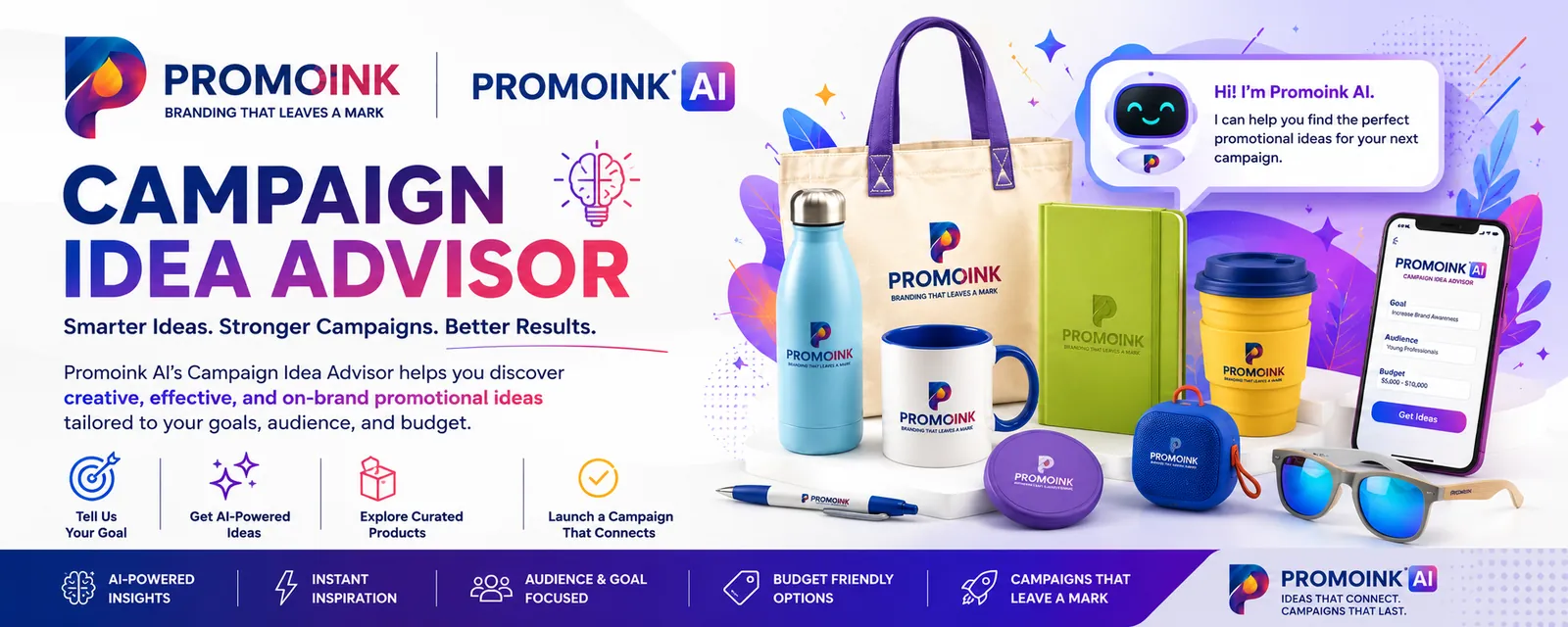
The PromoInk AI Campaign Idea Designer helps you create a coordinated promotional campaign in minutes. Tell us about your audience, occasion, budget, quantity, and goals, and our AI-powered tool will develop ideas for:
- Promotional products
- Campaign themes
- Slogans and messaging
- Product color combinations
- Artwork concepts
- Giveaway bundles
- Packaging and presentation
- Distribution strategies
Whether you are planning a tradeshow, employee program, holiday campaign, nonprofit event, school promotion, customer gift, or product launch, the AI Campaign Idea Designer gives you a practical starting point.
How It Works
Step 1: Describe Your Campaign
Tell the AI Campaign Idea Designer what you are planning. Include your event, organization, target audience, and campaign objective.
Example:
We need promotional products for a healthcare recruitment fair targeting nursing students.
Step 2: Select Your Audience
Identify who will receive the products, such as:
- Employees
- Customers
- Prospects
- Students
- Tradeshow visitors
- Volunteers
- Donors
- Healthcare professionals
- Teachers
- Community members
The more specific you are, the more relevant your campaign ideas can be.
Step 3: Enter Your Budget and Quantity
Provide your estimated:
- Budget per item
- Total campaign budget
- Number of recipients
- Desired order quantity
If you are unsure, enter a general range. The designer can suggest different ideas for good, better, and premium budget levels.
Step 4: Add Your Timeline
Enter your event date or preferred delivery date. This helps identify products that may work with your schedule.
Production and shipping times vary. Final availability and delivery timing must be confirmed before ordering.
Step 5: Choose a Style
Describe the look and personality you want for your campaign:
- Professional
- Modern
- Fun
- Eco-conscious
- Premium
- Patriotic
- Seasonal
- Youthful
- Minimalist
- Bold and colorful
You can also enter your brand colors, industry, theme, or preferred product categories.
Step 6: Generate Campaign Ideas
Select Generate Ideas to receive a customized campaign concept that may include:
- Recommended products
- Campaign name
- Theme and color direction
- Suggested slogan
- Imprint or decoration ideas
- Product bundle options
- Distribution recommendations
- Calls to action
Step 7: Refine Your Results
Ask the designer to adjust the campaign until it fits your needs.
Try instructions such as:
- “Show me more affordable products.”
- “Make the campaign more professional.”
- “Use red, white, and blue.”
- “Focus on sustainable products.”
- “Create a premium executive gift bundle.”
- “Suggest products for outdoor use.”
- “Give me three slogan alternatives.”
- “Only show products that may qualify for rush production.”
Step 8: Customize Your Products
Choose your preferred campaign idea and continue to the PromoInk AI Virtual Designer. Upload your logo, add text, position your design, and preview it on eligible products.
Step 9: Review and Order
Before ordering, review:
- Product and color
- Quantity
- Artwork
- Spelling
- Imprint location
- Production time
- Shipping method
- Delivery address
A final proof may be provided when required. Carefully review and approve the proof before production begins.
Information to Have Ready
For the best results, prepare:
- Organization or brand name
- Campaign objective
- Target audience
- Event or occasion
- Quantity
- Budget
- Delivery date
- Brand colors
- Logo or artwork
- Preferred products
- Products you want to avoid
- Desired campaign tone
You do not need to have every detail ready. Start with what you know and refine the campaign as you go.
Sample Prompts
Create a tradeshow giveaway campaign for 500 technology professionals. Our budget is $6 per person. We want useful products with a modern look and space for a QR code.
Design an employee appreciation campaign for 150 employees. Suggest a premium gift bundle with a budget of $35 per employee.
Create a professional holiday gift campaign for 75 clients. Avoid religious messaging and recommend products suitable for shipping individually.
Build a college recruitment campaign for 1,000 high school students. Use energetic messaging and suggest products students will use after the event.
Create a nonprofit awareness campaign for a community walk. Recommend affordable products for 750 participants using our organization's blue and green colors.
Why Use the AI Campaign Idea Designer?
Receive ideas based on your audience, campaign, industry, budget, and timeline.
Move from a general idea to a coordinated promotional campaign without searching through thousands of products individually.
Explore campaign names, slogans, themes, colors, product combinations, and distribution ideas.
Use AI-powered guidance to navigate the PromoInk AI product selection and identify relevant options.
Move from campaign planning to product personalization with our click-to-order Virtual Designer.
Important Information About AI Results
The AI Campaign Idea Designer provides creative suggestions and product-discovery assistance. AI-generated results may occasionally be incomplete, inaccurate, unavailable, or unsuitable for a particular campaign.
Recommendations do not guarantee:
- Product availability
- Final pricing
- Decoration compatibility
- Delivery by a particular date
- Campaign performance
- Legal or regulatory compliance
- Originality or exclusive ownership
Review every recommendation before placing an order. Do not enter confidential, regulated, or sensitive personal information into the designer.
Frequently Asked Questions
Is the AI Campaign Idea Designer free to use?
[INSERT ANSWER BASED ON YOUR PRICING MODEL]
Do I need an account?
[INSERT ACCOUNT REQUIREMENT]
Can it work within my budget?
Yes. Enter a per-item or total budget and ask the designer to provide options at different price levels. Final pricing must be confirmed before ordering.
Can I use my company colors and logo?
Yes. Include your brand colors when creating the campaign, then upload your authorized logo through the Virtual Designer or artwork-submission process.
Can the designer recommend rush products?
Yes. Ask for products that may qualify for rush production. Eligibility must be confirmed based on inventory, artwork, quantity, approvals, and the applicable cutoff time.
Will a person review my campaign?
[INSERT WHETHER HUMAN CAMPAIGN REVIEW IS AVAILABLE]
Can I save or share my campaign?
[INSERT SAVE, DOWNLOAD, OR SHARING OPTIONS]
Create Your Next Campaign
Turn your event, audience, and marketing goal into a complete promotional campaign with AI-powered ideas from PromoInk AI.